
Exams and date sheets
Set up terms such as the mid term, each with its date sheet.
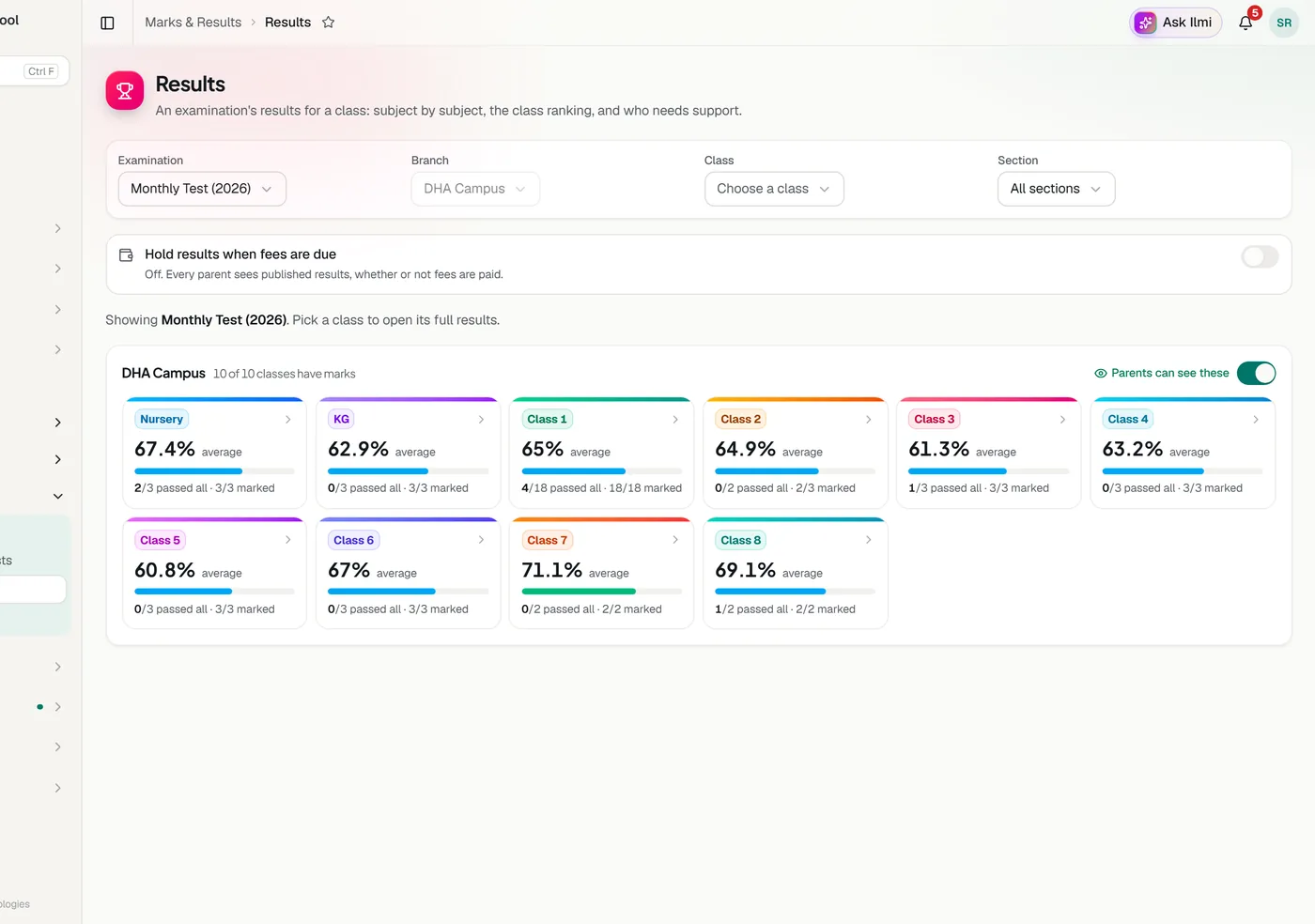
Enter marks subject by subject and Classwell works out totals, grades and class positions. Publish results when you are ready and parents see them in the app. Print report cards for a child or a whole class.
Set up terms such as the mid term, each with its date sheet.
By class and subject, out of each paper’s total marks.
Class positions, average, grade spread and the students below the pass mark. Export to CSV.
Parents see marks only after the school publishes the exam, and they get an alert when it happens.
A4 report cards with subjects, totals, grades, position, attendance and the grading scale. Print one or a whole class.
Edit the scale to match your school. The default runs from A+ at 90 to F.
One slip per student with photo, roll number, father’s name and the class’s date sheet, two to an A4 page. Students with unpaid fees can be left out.
Once results are published, send each family the marks, grade and class position on WhatsApp in one tap.
Head office can set a question paper for all branches. Once issued, every campus prints the same paper and enters its own marks against it, while only head office can change it. For franchise brands, the main school’s classes, subjects, grading and exams reach every franchise in the same way.
Write papers with every question type a school uses: MCQ, true or false, fill in the blanks, short and long answers, matching, numerical and more. Add equations and pictures, and write in English, Urdu, Arabic or English with Urdu.
Tell us about your school and we will set up a walkthrough around your own campuses, classes and fees.