
Face attendance
The teacher moves one phone slowly across the class. Every child is recognised and marked at once, and anyone not seen is listed. Only children with consent on record.
Classwell AI takes the register by face, marks answer sheets from photos, makes the timetable and arranges cover, writes report card remarks and reads every result to parents in Urdu. A person checks and confirms before anything is saved.
Among school systems offered in Pakistan, none we could find had these when we looked in October 2026.
The teacher moves one phone slowly across the class. Every child is recognised and marked at once, and anyone not seen is listed. Only children with consent on record.
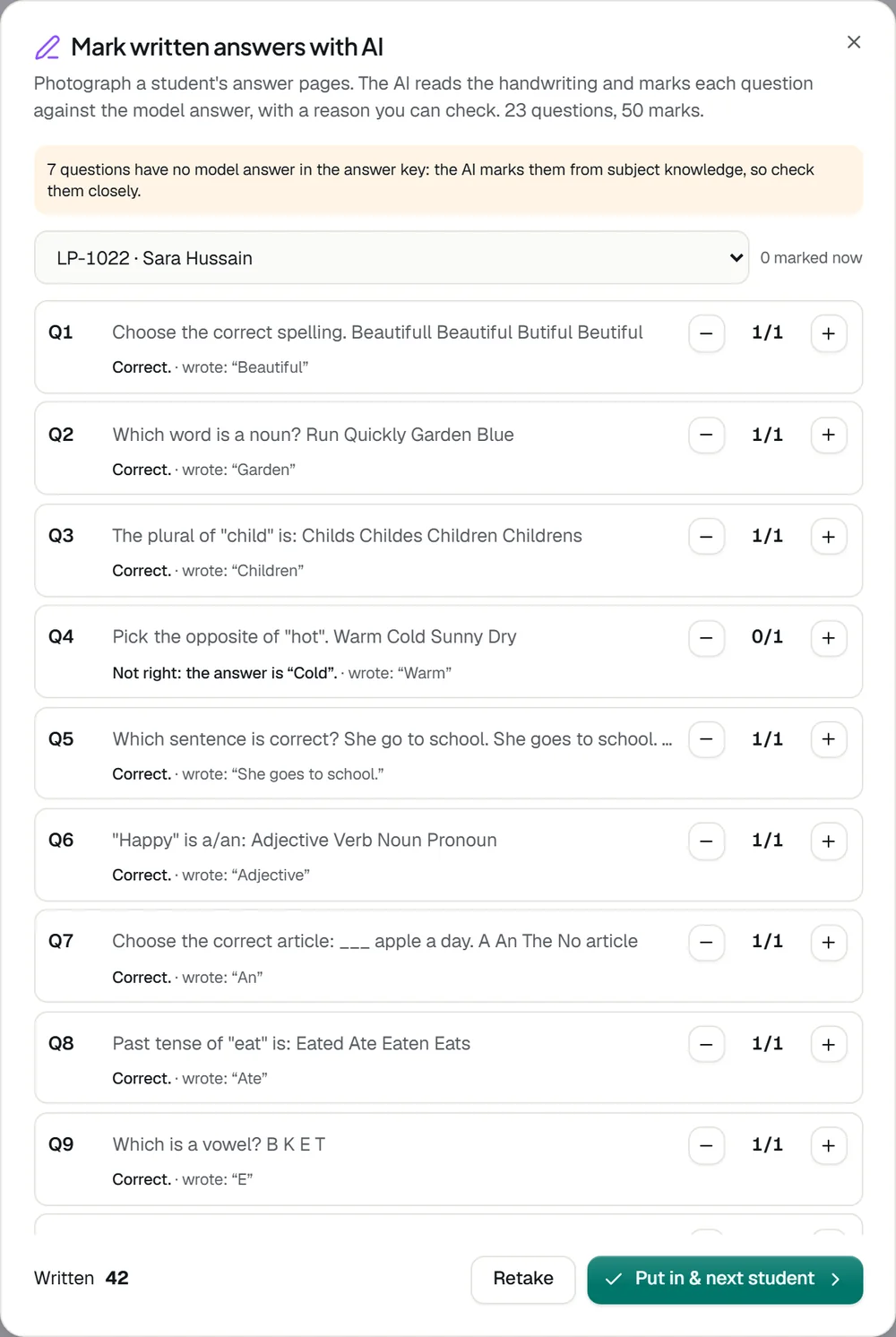
Photograph a student’s answer pages. The AI reads the handwriting and marks each answer against the model answer, with a reason for every mark.
Teachers say the day’s classwork and homework in Urdu or English. Classwell writes an entry for each subject in both languages for parents.
Results, diary entries and notices can be heard in Urdu, with the child’s name and exam names the way families say them.
Ask in a sentence: mark Class 1-A present except two children, post the Maths homework, arrange cover for an absent teacher. Ilmi prepares it and you confirm.
Write your rules the way you would tell a colleague. Every class gets a full timetable with no clashes. Nothing changes until you save it.
When a teacher is on leave or marked absent, each of their periods goes to the best free teacher, and the teachers are told.
A personal remark for each student from their own marks, strongest and weakest subjects and attendance, in English, Urdu or both.
Give the class, subject and chapters. Every question and the answer key are written for you to check and add to the paper.
Take a photo of the B-form or admission form, and the admission form fills itself. Staff check each step before saving.
Photograph each student’s OMR sheet. The roll number and every bubble are read and marked against the answer key.
Questions written from a book, a PDF or photos of pages, taken by students in the parent app and marked automatically.
A year plan, monthly diary and daily lesson plans from your own textbooks, in your school’s format.
Ilmi is the assistant inside Classwell for staff. Ask in plain words and it prepares the job: the attendance for a class, a homework entry, cover for an absent teacher. You read it and confirm it with one tap.
Ilmi answers from the school’s own records through the same permissions as your account, so a teacher asking about attendance hears about their own classes. It never changes a record by itself.
Scan the class, photograph the answer sheets, write your timetable rules, or ask Ilmi in a sentence.
Attendance, marks with reasons, a timetable, remarks, a diary in two languages, or the job you asked for.
Change any mark, remark or period. Anyone not recognised in the scan is listed for the teacher.
Only then is anything saved, posted or sent. Parents see it in the app, and can hear it in Urdu.
The teacher opens the class and moves the phone slowly across the room. Names appear on the children as they are recognised, and anyone not seen is listed so the teacher can check. Only children whose consent is on record are recognised.
Yes. Report card remarks and the spoken diary are written in Urdu as well as English, the diary can be spoken in Urdu, and parents can hear results, diaries and notices read aloud in Urdu.
No. The AI prepares the work and a person confirms it before anything is saved. Ilmi prepares a job, such as attendance or homework, and waits for you to confirm it.
Yes. Each AI tool can be switched off, and a school can turn AI off completely. Every other part of Classwell keeps working.
Bring a class list and a few answer sheets to the demo, and watch Classwell take the register, mark the papers and write the remarks.