
yourschool.classwell.co
Staff and parents open the school’s own address, which shows the school’s name, logo and colours.
A head office sees every branch. Branch staff see their own branch. Franchise campuses run as separate schools under one brand, each with its own head and its own data.
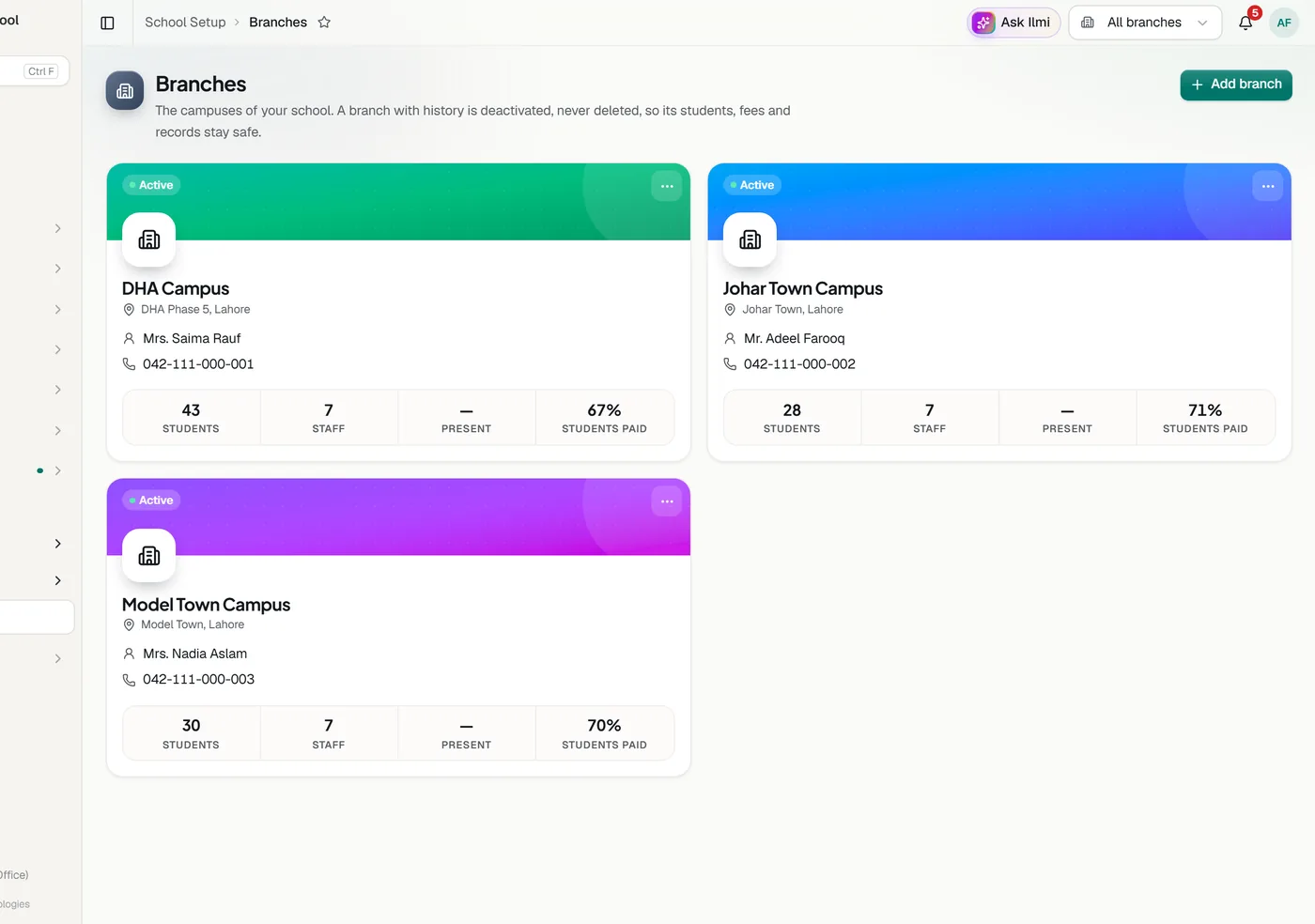
The Super Admin at head office sees every branch: admissions, attendance, fees and results side by side. A branch admin and their staff see only their own branch. Students transfer between branches and keep the same record.
For a brand with franchise campuses, each campus is its own school in Classwell with its own Head Office Admin and branches. One franchise can never see another’s students, staff, fees or marks. The brand’s logo and colours are shared and stay consistent, while each campus keeps its own name, address and contacts.
The brand’s main school sets the syllabus for everyone: its classes, subjects, grading scale and exams reach every franchise and stay locked there, while each franchise can add its own. Question papers issued for all branches, approved lesson plans and books are shared too. Results always stay with each school.
At 8 am on school mornings the head office gets an email about the last school day, campus by campus: attendance and the classes that did not mark it, fees collected that day and this month, students yet to pay, staff absent and homework posted. Each person can turn it off in their account.
Staff and parents open the school’s own address, which shows the school’s name, logo and colours.
yourschool.classwell.co/join opens the parent sign up with the school already chosen.
On a school’s address, only that school’s accounts can stay signed in.
Tell us about your school and we will set up a walkthrough around your own campuses, classes and fees.